The full exhibition period
Explore participating brands, their profiles and resources throughout the exhibition.
 SAUDI FRANCHISELIVEOfficial website ↗Investor AcquisitionExhibitor ApplicationPackages & Sponsorship
Explore brands, walk through digital booths and connect with their representatives. Saudi Franchise Live™ brings franchising into an online experience you can access from wherever you are.
15 January–13 February 2027, open 24 hours a day. All dates follow Riyadh time.
Explore participating brands, their profiles and resources throughout the exhibition.
Visit the virtual halls and booths and connect with participating brands.
Continue publishing, meetings and conversations, and access brands and their information.
Exhibitors set their availability through the meeting calendar. Messages outside their working hours remain saved for review and response when they start work the following day.
Browse the four halls and select a booth to see its number, size and location. Open the full-page plan to explore the 2D and 3D views.
Sold and held statuses are illustrative examples. Confirm availability with the exhibition team. The supplied plan is in English.
Choose your role and explore the steps, whether you are evaluating a franchise opportunity or presenting your brand.
Based on the supplied demo walkthroughs. Screens, hall names and available tools may vary with event settings and account permissions.
Ask brand representatives about the franchise model and expansion requirements.
Arrange a meeting to discuss details with the appropriate representative.
Move from chat to a video call when the feature is available for the event.
Browse booth materials and save available resources to review later.
Saudi Franchise Live™ offers more than a digital booth. It works through a multichannel marketing and media ecosystem to reach investors, entrepreneurs and business owners, understand their interests and connect them with participating brands.
Discover the Investor Acquisition ProgramFollow the steps directly inside the platform.
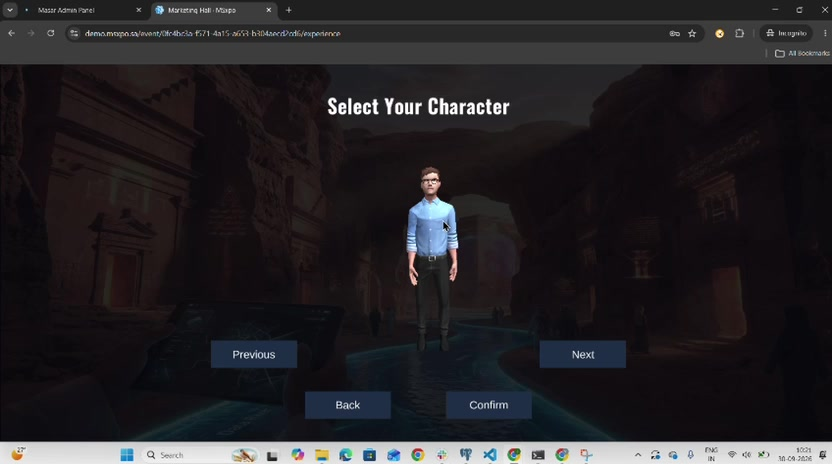
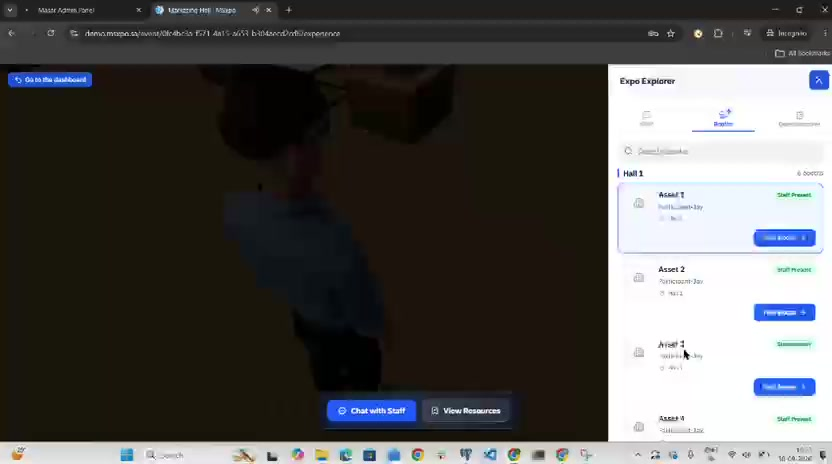
Choose the right account. Both use the same link, but the account determines the visitor experience or booth management permissions. Open the demo in a new tab and follow the guide.
Explore the 3D exhibition and interact with booths.
Try the platform ↗Go directly to the platform. Register if the option is available, or sign in with the demo details sent to you privately by email or WhatsApp.
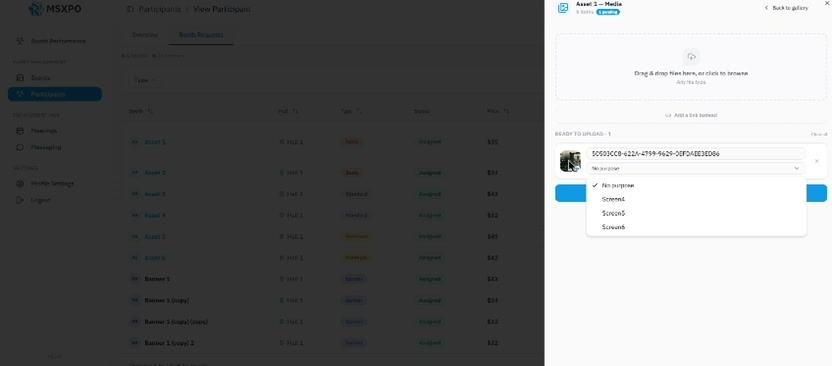
Discover booth setup and how to add images, videos and resources.
Try the platform ↗Go directly to the platform. Register if the option is available, or sign in with the demo details sent to you privately by email or WhatsApp.
The route to your booth may vary with your account permissions. If a section is missing, contact the platform team to confirm access.
To switch accounts, sign out first or use a private browser window. These are shared demo accounts; use sample materials when testing uploads.
The exhibition is digital. You visit and connect online without travelling to a physical venue.
This is an explanatory guide. Try the platform using the login details sent by email, or visit the official website for participation details.
Explore the available materials, contact the brand team and request a meeting using the tools available.
The exhibition supports discovery, conversations and meetings. Agreements depend on each party’s evaluation, terms and negotiations.
Yes. Your team can manage the digital booth online from your country, using the platform access and tools included in your package.
Packages differ in content capacity, team access, visibility and support. Compare the approved benefits and prices.
No. Review the guide and packages, then ask by WhatsApp or email if needed. A specialist discussion can be arranged for requirements that need it.
Yes. Submit the current exhibitor application. The team reviews it before confirming availability and participation.
It outlines a multi-channel outreach and follow-up strategy, subject to campaign performance and available channels and partnerships. Explore the programme.
The team reviews your application and contacts you about availability, package details and the next steps. Submitting a request does not confirm a booking.
Yes. Open the platform demo. Use the trial login details supplied privately by the team, or follow the platform’s registration instructions.
No. Prices exclude VAT. SAR is the contractual currency; USD is approximate. View package prices.
Apply directly or contact the team with questions. Most information is available here; a meeting is not required to understand the exhibition.
We are happy to answer questions about participation, packages or how the platform works.
Choose a package and submit your brand’s application. The exhibition team will contact you to complete the next steps.
For specific requirements, partnerships or strategic sponsorship, share the topic so the team can review it before arranging a meeting.
Explore the event details and contact the team about visiting or exhibiting.
Starts on 15 January 2027 at 00:00 Riyadh time. Explore the exhibition at any time; each exhibitor sets their availability and meeting slots through the meeting calendar.
Messages sent outside the exhibitor’s working hours remain saved for them to review and answer when they start work the following day.
Masar Expo is the exhibition organiser, and MSXPO provides the digital platform. Contact the exhibition team for participation and booth booking enquiries.
info@saudifranchiselive.comNo. The exhibition is open 24 hours a day. Exhibitors set their availability and available meeting times through the meeting calendar. Messages received outside their working hours remain saved for review and response when they start work the following day.